
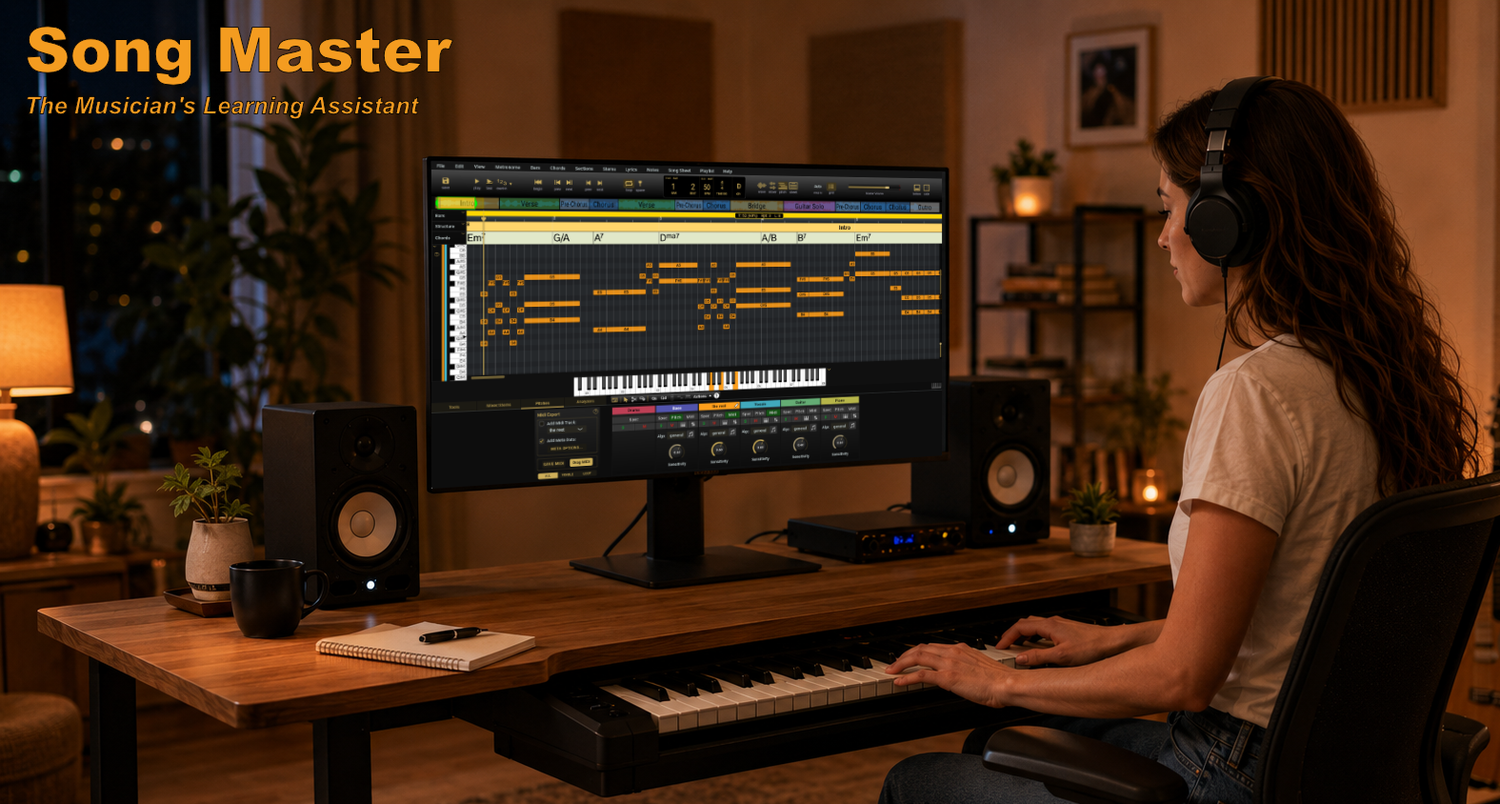
Designed For Musicians
-

Musicians
Learn any song at your own pace. Slow it down, loop the hard parts. Generate stems to isolate your part. Solo it to hear it more clearly. Mute it to play the part along with the band. Mute the vocal part for unlimited backing tracks.
-

Transcribers
Create stems and slow it down to clearly hear the parts. In Pro, convert audio to MIDI, edit the notes, then export clean sheet music or MusicXML with the midi notes converted to notation
-

Producers
Pull a track apart. Extract clean stems, remix them in the Mixer, build backing tracks at any tempo or key. Use audio-to-MIDI to convert an audio track into midi and modify it. Import midi into your DAW and get creative with it.


Trident: Stem Extractor
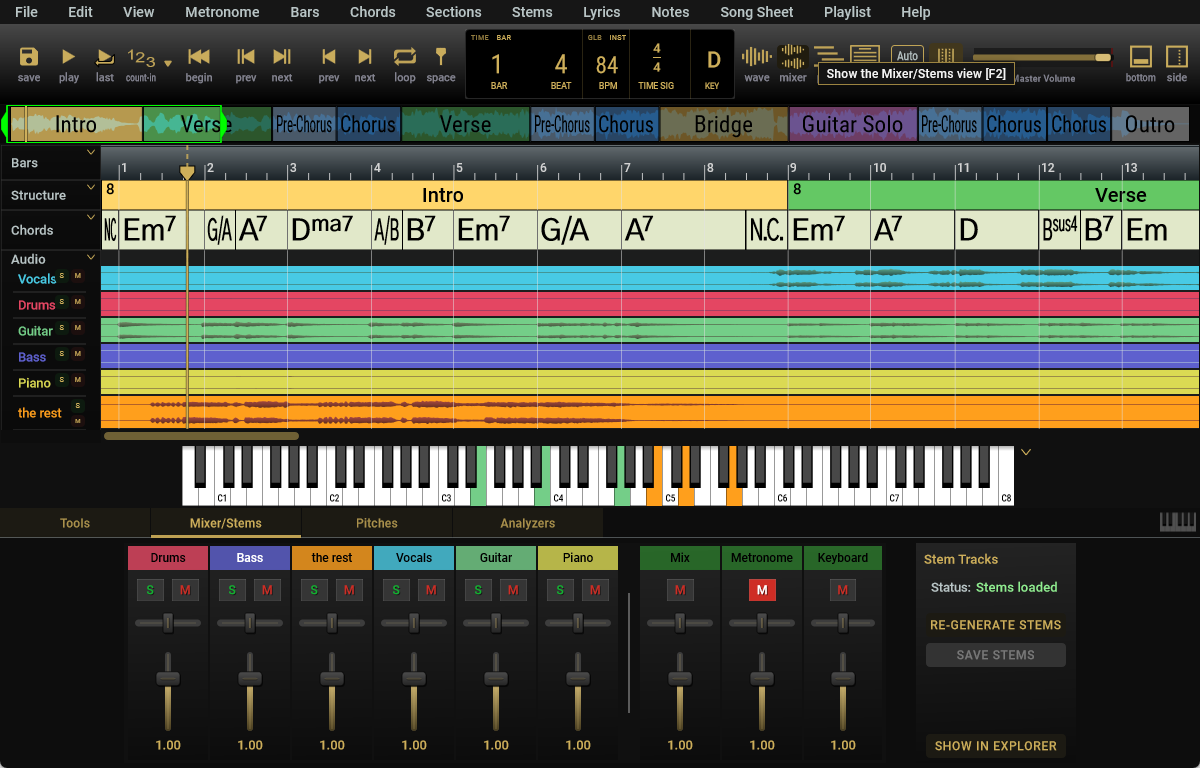
Use Trident, our 3rd generation stem-separator, to extract multiple tracks from the stereo audio.

Extract Stems
- Vocals
- Drums
- Bass
- Guitar [Pro]
- Piano [Pro]
- "other"

Mixing Console
Solo a track to hear it in isolation. Mute to play along with the full band. Change Volume and Pan to hear what you want.

GPU Acceleration
Spend less time waiting for stems.
- MacOS: Optimized for Apple Silicon
- Windows: Optimized for NVIDIA GPUs
Prism: Audio-to-Midi
ProAccurately convert isolated Pitch Instrument or Drum track/stem to midi.
Drag the MIDI into your DAW. Export it to MusicXML for your Notation software.

Convert Pitch Audio to MIDI
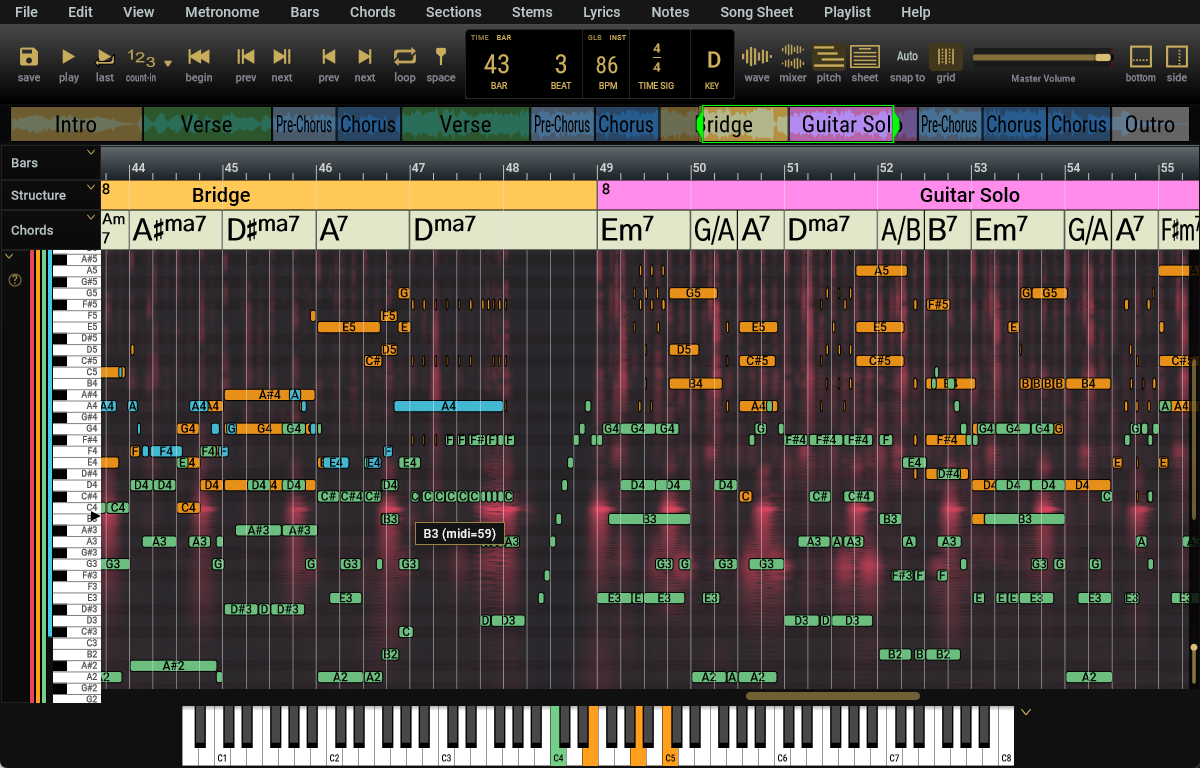
Convert pitch instruments audio into fully editable MIDI. Display and edit the converted midi in a full-featured editor. Simplify transcribing by slowing down and looping small sections.

Pitch Data
Pitch data shows possible candidates for MIDI notes.

Spectrogram
View the raw spectrogram to inspect additional details like bends, vibrato depth, and slides.

Convert Drum Audio to MIDI
Convert drum recordings or separated drum stems into editable MIDI, capturing nine drum types: kick, snare, closed and open hi-hat, three toms, crash, and ride.
Video Player
Open a video and use Song Master's analysis and practice tools on its audio while watching a synchronized video window.

Fully Integrated Video
Slow playback, step through individual frames, scrub, jump between bars and sections, and adjust loops directly on the video timeline.
AI-Powered Song Analysis
Song Master analyzes song tuning, beats, bpm, bars, time signature, key, song sections, and chords.
Bars, Beats, BPM
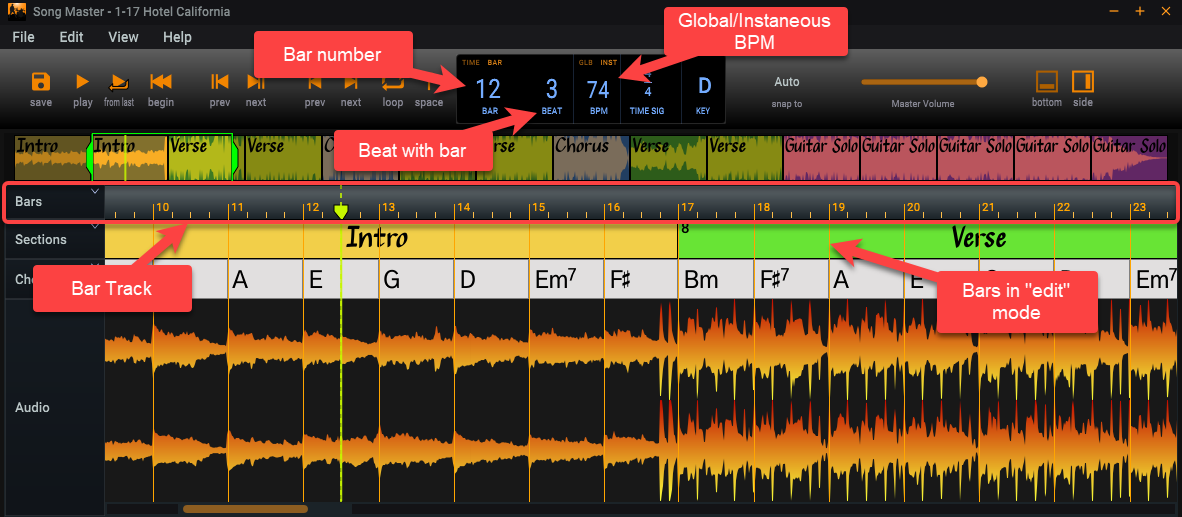
Song Master analyzes the song and determines the location of beats and bar lines as well as computing the global bpm and instantaneous bpm.
Key & Time Signatures
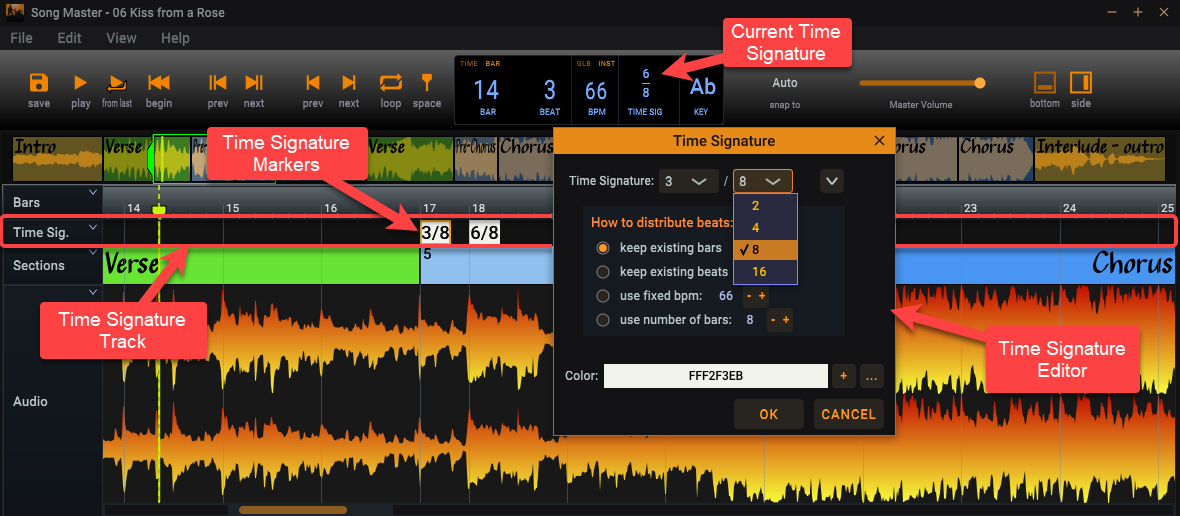
Songs are also analyzed to determine their Key and Time Signature. Manually insert additional Time Signature changes if needed.

Sections
Get an overview of how a song is structured. Focus on a particular section. Jump to other sections to see how they vary.
Chords
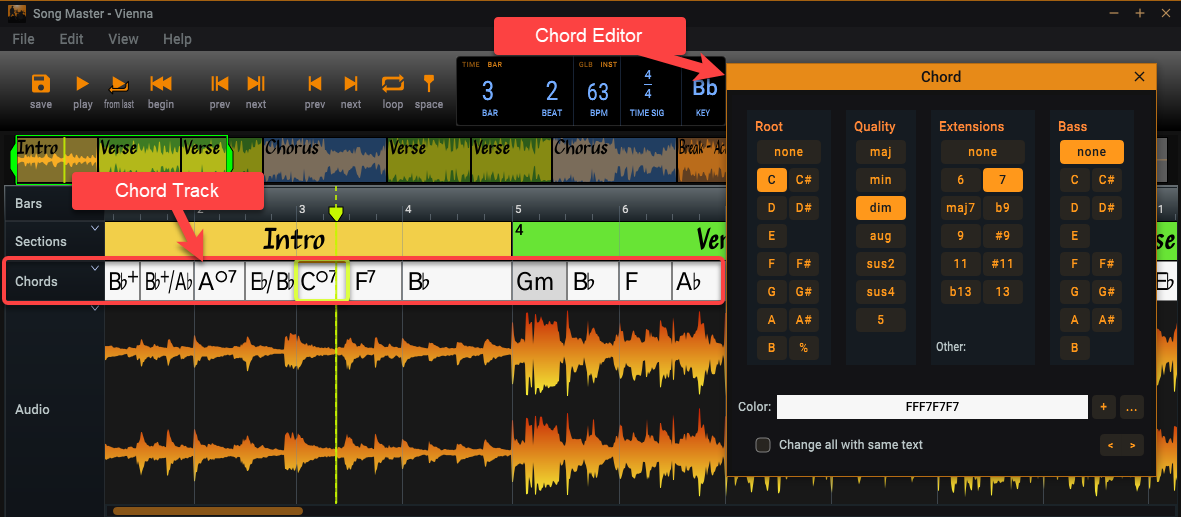
Song Master uses machine learning to analyze and determine the song's chords. Song Master can recognize a broad range of chords from plain major and minor chords to suspended, diminished, and 9th chords. The bass note played with a chord can have a dramatic affect on the combined sound, so Song Master will also tell you the bass note. You can easily modify the chord using the Chord editor.
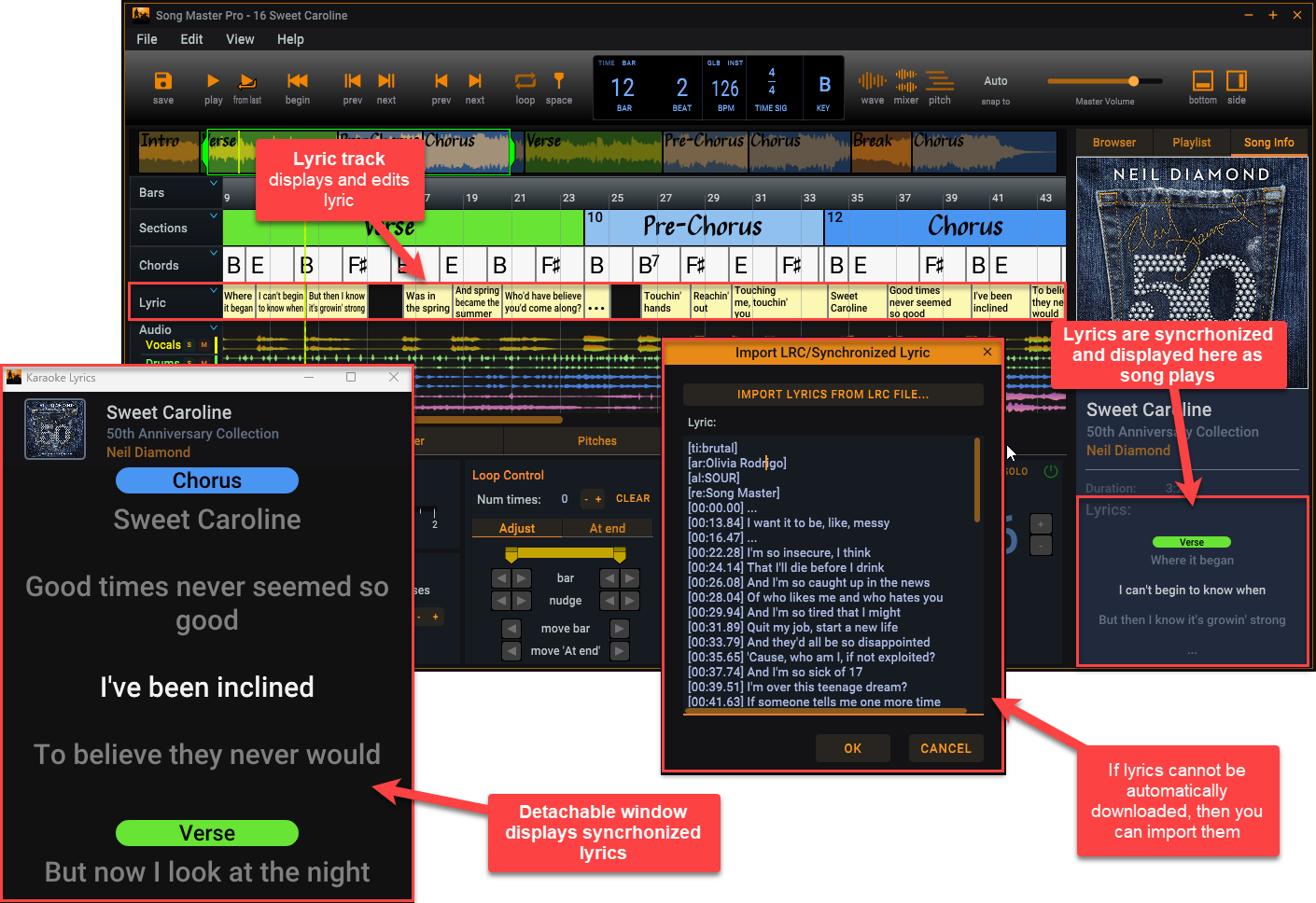
Lyrics
Download synchronized lyrics for most popular songs. Import lyrics from text. Edit and synchronize Lyrics to song. Lyrics display in Side Panel and an external Karaoke window.
Song Sheet
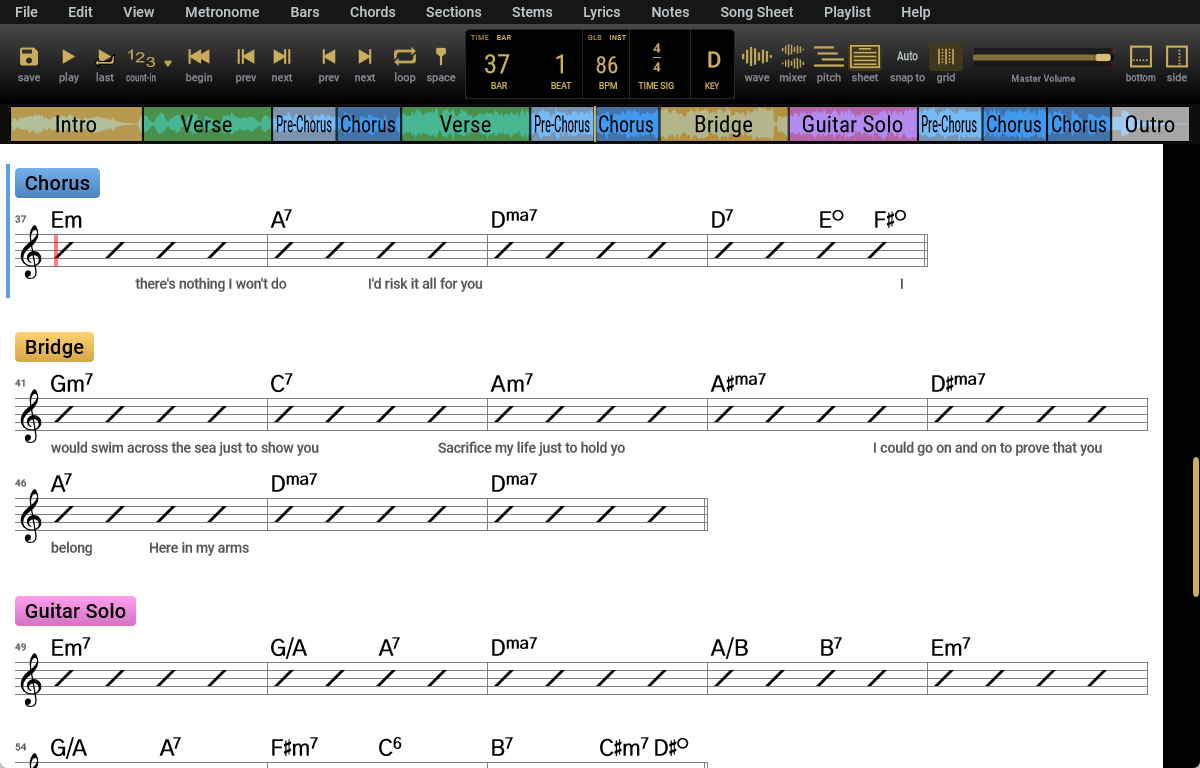
ProSong Sheet view presents a song in "sheet music" format and offers several export formats.

Song Playback
Sheet-music layout that scrolls vertically. Sections collapse for an overview and expand as the playhead arrives — configurable to show staff and lyrics, or a condensed chord chart.

Export Sheet to MusicXML
Export song structure with sections, bars, bpm, time signatures, chords, lyrics, and song information.

Export Notes to MusicXML
Select midi tracks to export as notation for further refinement in a music notation app.

Export to PDF
Pair text with an image to focus on your chosen product, collection, or blog post. Add details on availability, style, or even provide a review.

Export as Text
Pair text with an image to focus on your chosen product, collection, or blog post. Add details on availability, style, or even provide a review.
Loaded with Tools to help you Learn and Improve
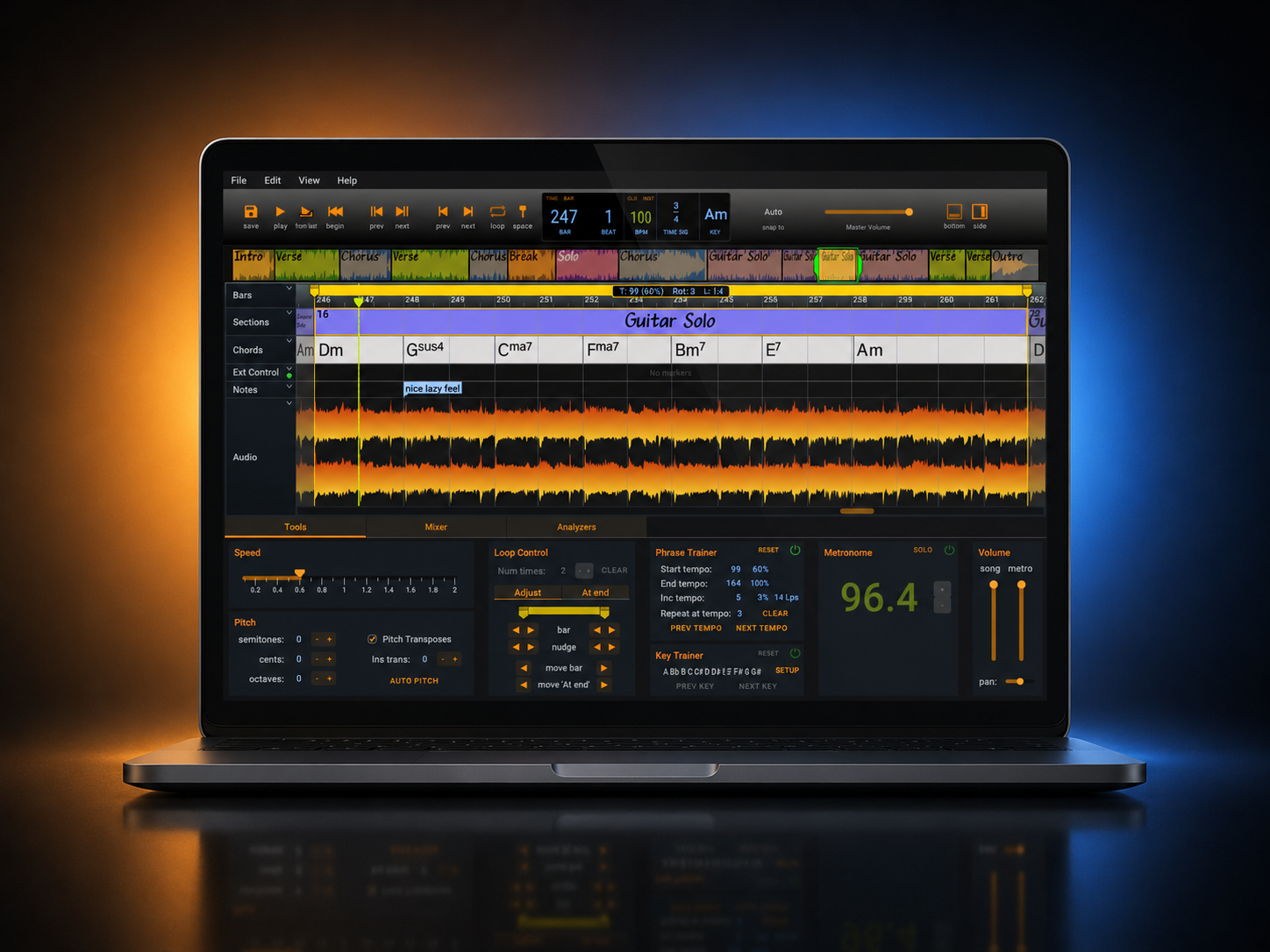
Song Master includes a comprehensive suite of practice and learning tools designed to help you master any song at your own pace.

CONTROL PLAYBACK SPEED
Easily slow down difficult parts of a song to help hear the part clearer and begin to learn and play.

MODIFY THE PITCH AND AUTO-TUNE
Tune the song instead of re-tuning your instrument. If a song is tuned a semitone lower than normal, SongMaster can raise the pitch of the song a semi-tone so it will match your instrument’s tuning. Vocalists can adjust the pitch of the song to match their vocal range. With Auto-Pitch, Song Master will determine the amount of pitch-correction necessary to bring it to common 440 Hz tuning.

LOOP CONTROL
Practice a part slowly at first and gradually increase the tempo each time through the loop. You can also have it automatically advance to the next set of beats or bars after playing a set number of loops.

PHRASE TRAINER
The Phrase Trainer simplifies learning to play a section by slowing the song down and gradually increasing the tempo. You specify the starting and ending tempos and the amount to increase the tempo after each play.

KEY TRAINER
The Key Trainer will rotate through a series of key changes. Great for improving you ability to transpose and solo over changing key centers. Select from a set of predefined chord sequences (i.e. cycle of 5ths) or define you own.

METRONOME
A built in metronome will automatically sync to the beat of the song or it can be put into Solo mode so you can use it to practice in isolation.

PIANO BAR
An acoustic piano is available and useful to find notes when transcribing and to play along with the song when you connect an external midi keyboard to Song Master.
Additional Tools to go Further

Controller Track [Pro]
The Controller track is used to send Midi and OSC messages to external Midi devices and applications. For example, send "patch" change messages to an external guitar processor at key points in a song.

Notes Track
The Notes (text) track provides a place for you to enter song lyrics, analysis notes (i.e. "Solo using D Aeolion"), and any contextual notes you find useful (i.e. "Flanger On"). I will dynamically grow to display up to four lines of text.
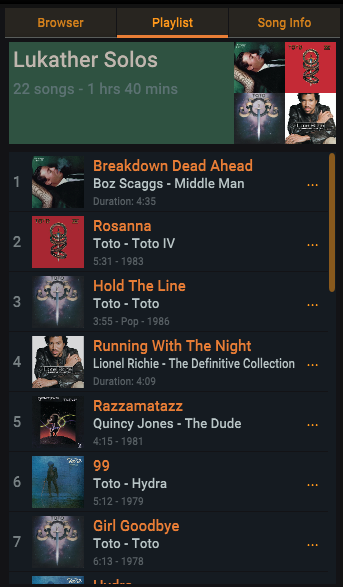
ORGANIZE SONGS IN PLAYLISTS
Use Playlists to group your songs. For example, create a playlist for songs your are currently working on, one for songs you want to work on, create another for the set list of your next gig. Practice running through the entire set and Song Master will automatically load the next song when a song finishes.
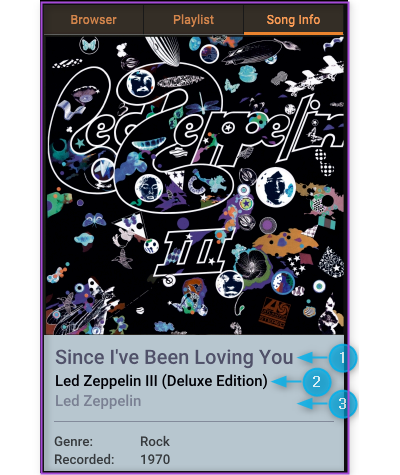
SONG INFORMATION
The Song Info Panel provides links to learn more about the (1) song, (2) album, and (3) artist. Click the links to learn about the song and the musician's who recorded it.
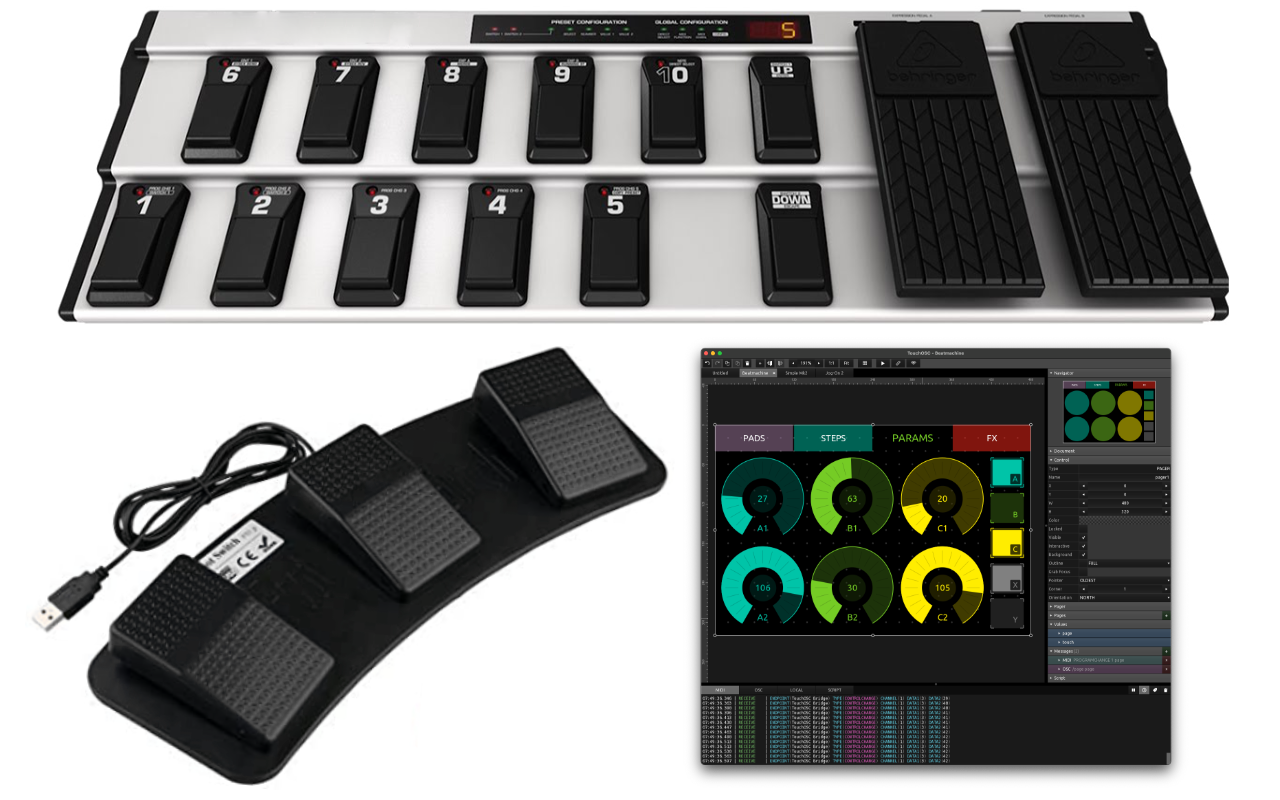
Control Song Master with External Pedals/Devices [Pro]
Use Song Master to send Midi and OSC messages at any point in a song (great for sending patch changes at the start of sections). Use external pedals to control Song Master for hands free operation. If you are using an OSC app, you can control most aspects of Song Master and get info from Song Master to display in a user interface.
Download Song Master & Pro
Download the latest software updates and try it out in demo mode.
Buy Song Master
If so, you're eligible for special upgrade pricing. Upgrade pricing will be adjusted automatically when added to your cart (you must be logged in).
Song Master 5
Perfect for learning and practicing your favorite songs and developing your musicianship.
Buy / UpgradeSong Master Pro 5
Advanced features for musicians, transcribers, and producers.
Buy / Upgrade